> ## Documentation Index
> Fetch the complete documentation index at: https://lago-ftr-wallet-improvements.mintlify.site/llms.txt
> Use this file to discover all available pages before exploring further.
# Events list
> By ingesting events, you can see them flowing in the Lago application by using the events list. It allows you to take a deeper look at ingested events and detect possible warnings.
## Accessing the events list[](#accessing-the-events-list "Direct link to heading")
You can access the events list from the UI by following this path:
1. Go to the **Developers** section in the sidebar;
2. Click the **events** tab;
3. See a list of ingested events; and
4. Reload this list when you ingest new events.
By default, the UI shows you a list of the latest 20 events, but you can load
much more by scrolling down the page.
If an event is not shown in the UI, it has **not** been ingested.
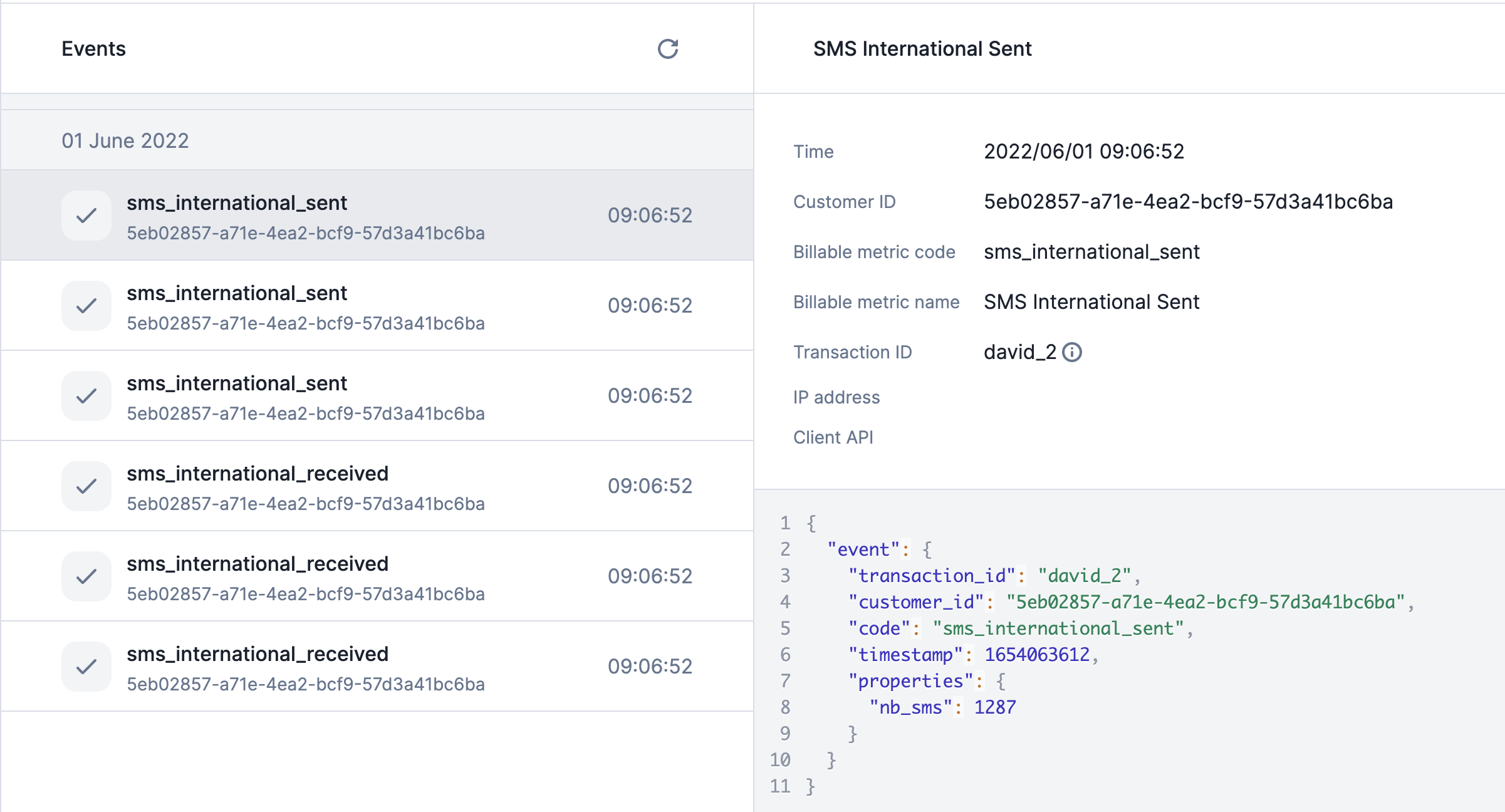 ## Accessing a specific event[](#accessing-a-specific-event "Direct link to heading")
In the events list view, by clicking on a specific event, you will have access to 2 main
blocks:
1. **A list of useful properties returned**
* **Time:** timestamp of the received events;
* **Customer ID:** the ID of your customer;
* **Billable metric code:** code of the billable metric linked to the event;
* **Billable metric name:** name of the billable metric linked to the event;
* **Transaction ID:** unique `transaction_id` of the event used as
idempotency key;
* **IP Address:** IP address of the event sender; and
* **Client API:** Lago Client API used to send the event.
2. **A JSON with event's arguments sent in the payload**
## Possible warnings[](#possible-warnings "Direct link to heading")
Some events can be ingested but triggering a bad or unexpected behavior. This is
why Lago displays in the UI two possible warnings:
1. The event `code` is **not related to an existing billable metric**; and
2. The billable metric's **property used for the aggregation is not sent**
through this event.
## Accessing a specific event[](#accessing-a-specific-event "Direct link to heading")
In the events list view, by clicking on a specific event, you will have access to 2 main
blocks:
1. **A list of useful properties returned**
* **Time:** timestamp of the received events;
* **Customer ID:** the ID of your customer;
* **Billable metric code:** code of the billable metric linked to the event;
* **Billable metric name:** name of the billable metric linked to the event;
* **Transaction ID:** unique `transaction_id` of the event used as
idempotency key;
* **IP Address:** IP address of the event sender; and
* **Client API:** Lago Client API used to send the event.
2. **A JSON with event's arguments sent in the payload**
## Possible warnings[](#possible-warnings "Direct link to heading")
Some events can be ingested but triggering a bad or unexpected behavior. This is
why Lago displays in the UI two possible warnings:
1. The event `code` is **not related to an existing billable metric**; and
2. The billable metric's **property used for the aggregation is not sent**
through this event.