> ## Documentation Index
> Fetch the complete documentation index at: https://lago-ftr-wallet-improvements.mintlify.site/llms.txt
> Use this file to discover all available pages before exploring further.
# Overview
> In addition to the price of the plan, you can charge your customers for usage.
## Overview of charges[](#overview-of-charges "Direct link to heading")
To incorporate usage-based charges into a plan, you can utilize existing billable metrics.
This enables you to offer "pay-as-you-go" features.
For instance, you can create charges based on the number of API calls, the
number of active users, transactions, compute time, etc. These additional
charges relate to the [billable metrics](/guide/billable-metrics/create-billable-metrics) defined previously.
Here are some important details to consider regarding usage-based charges:
## Currency of charges[](#charges-currency "Direct link to heading")
All charges are denominated in the same currency as the plan to ensure consistency and transparency.
## Trial period exclusions[](#trial-period-exclusion "Direct link to heading")
It's important to note that the trial period exclusively applies to the base amount of the plan and does not extend
to usage-based charges.
## Number of decimals[](#number-of-decimals "Direct link to heading")
Lago allows you create charges with up to fifteen decimals (e.g.
\$0.000123456789123).
Please note that charges are invoiced in `amount_cents`. Therefore, Lago
automatically rounds prices (e.g. USD 1102 `amount_cents` = \$11.02).
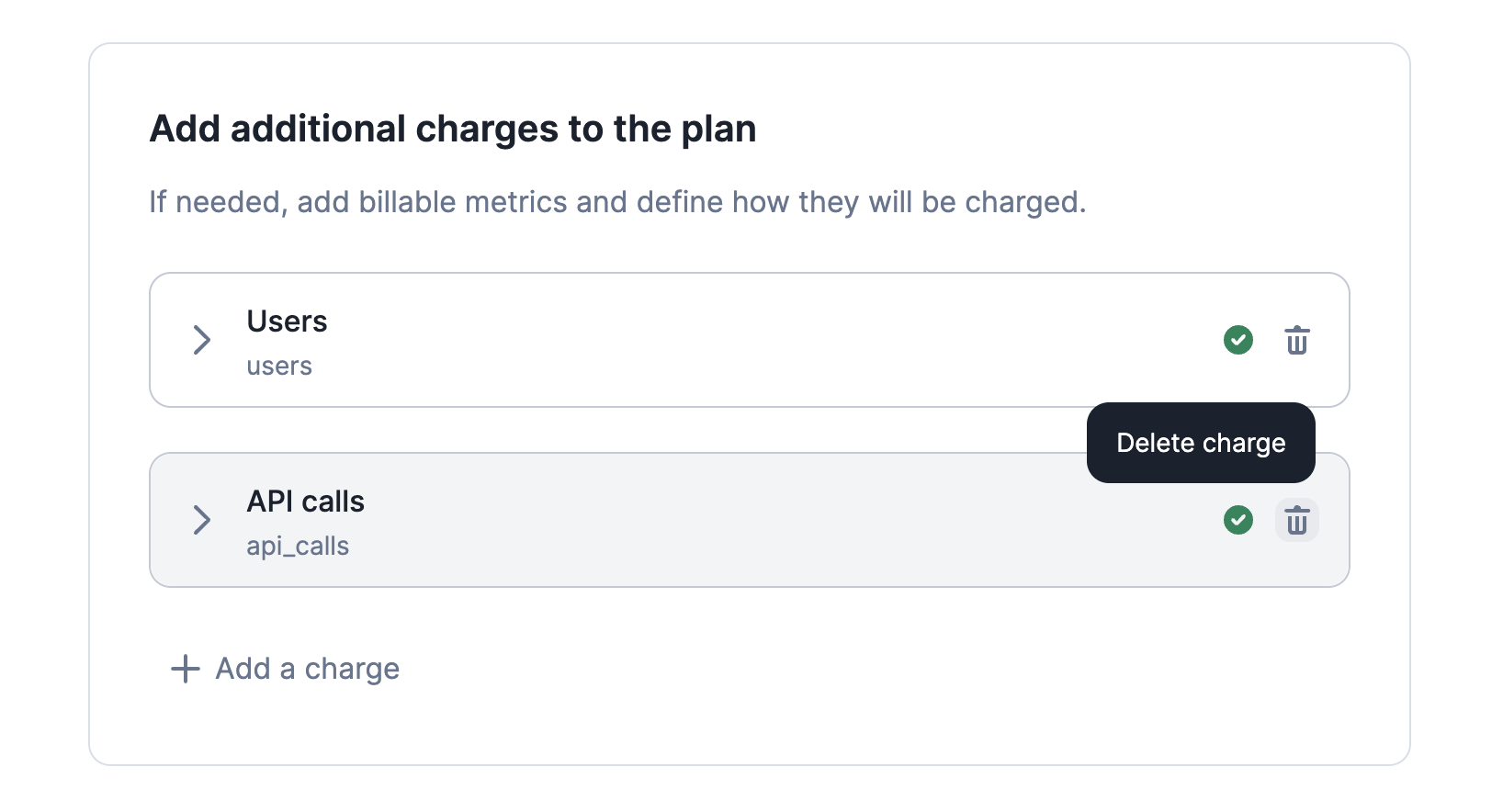
## Delete a charge[](#delete-charge "Direct link to heading")
You may delete a charge included in a plan associated with existing
[subscriptions](/guide/subscriptions/assign-plan).
If you do so and save the change:
* The charge will be immediately removed from all subscriptions linked to this
plan;
* The charge will no longer be included in the
[current usage](/api-reference/customer-usage/customer-usage-object) of the customers
concerned; and
* The charge will be immediately removed from all `draft` invoices associated
with these subscriptions.
However, the charge will still be included in all `finalized` invoices
associated with these subscriptions.
Deleting a charge does not delete the events associated with the corresponding
billable metric. If later you decide to add the charge back into the plan, the
events received before the deletion may be taken into account in the billing
process (depending on the limits of the billing period).
 ## Update invoice display names[](#invoice-display-names "Direct link to heading")
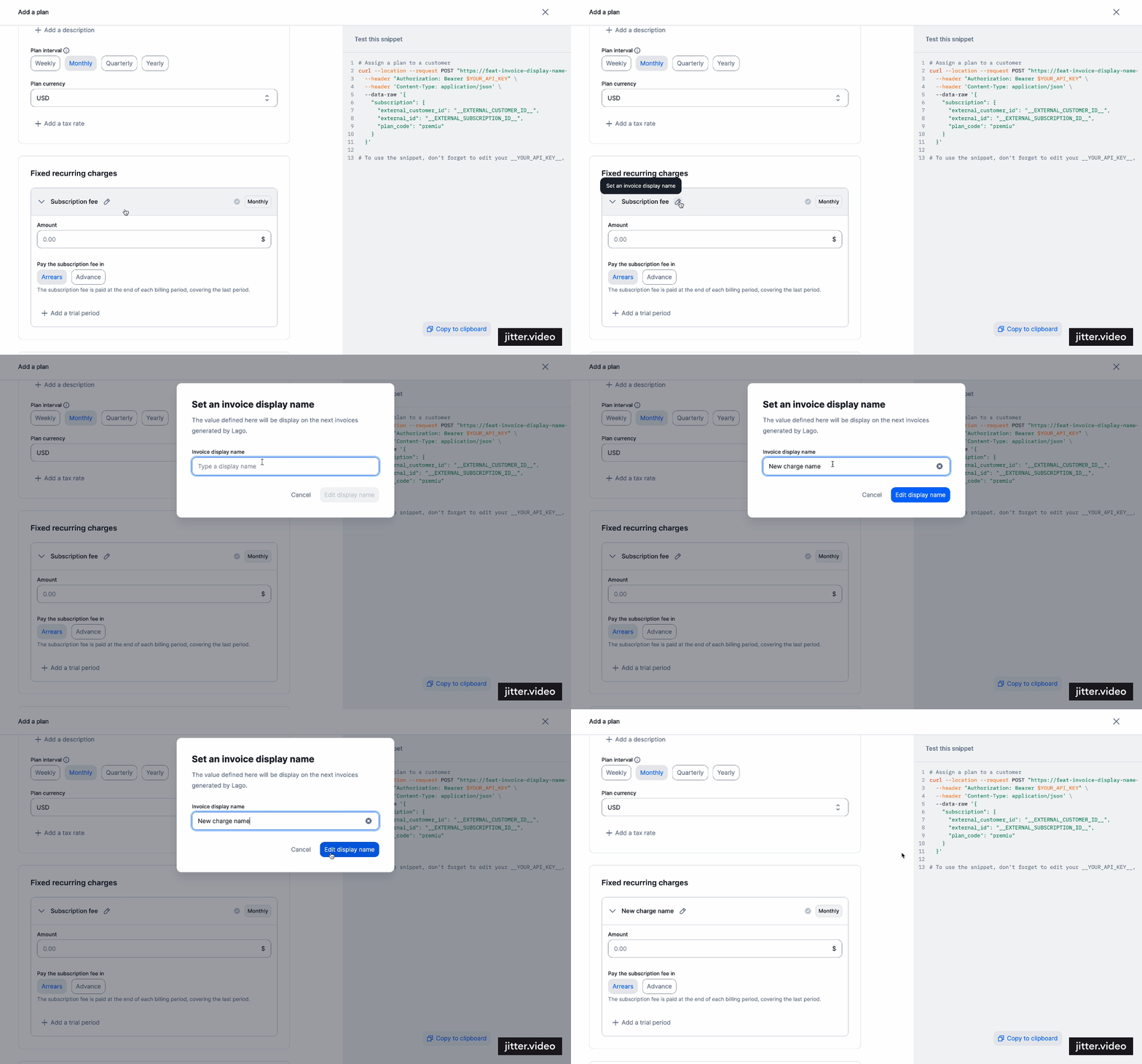
When creating or updating a charge within our system, you have the flexibility to customize the way it
appears by overriding its default name. This can be achieved by defining an `invoice display name` for the charge.
By doing so, the newly specified name will take precedence and be reflected across all relevant contexts,
including prominently on the invoice template.
## Update invoice display names[](#invoice-display-names "Direct link to heading")
When creating or updating a charge within our system, you have the flexibility to customize the way it
appears by overriding its default name. This can be achieved by defining an `invoice display name` for the charge.
By doing so, the newly specified name will take precedence and be reflected across all relevant contexts,
including prominently on the invoice template.