

Enable Lago’s EU Tax integration
Activate Lago’s automatic EU tax detection in just a few steps:- Navigate to your Lago instance Settings;
- Select the ‘Lago EU Tax Management’ integration;
- Enter or confirm your organization’s country; and
- Hit ‘Connect’ to activate this integration.
Automated EU tax rates detection
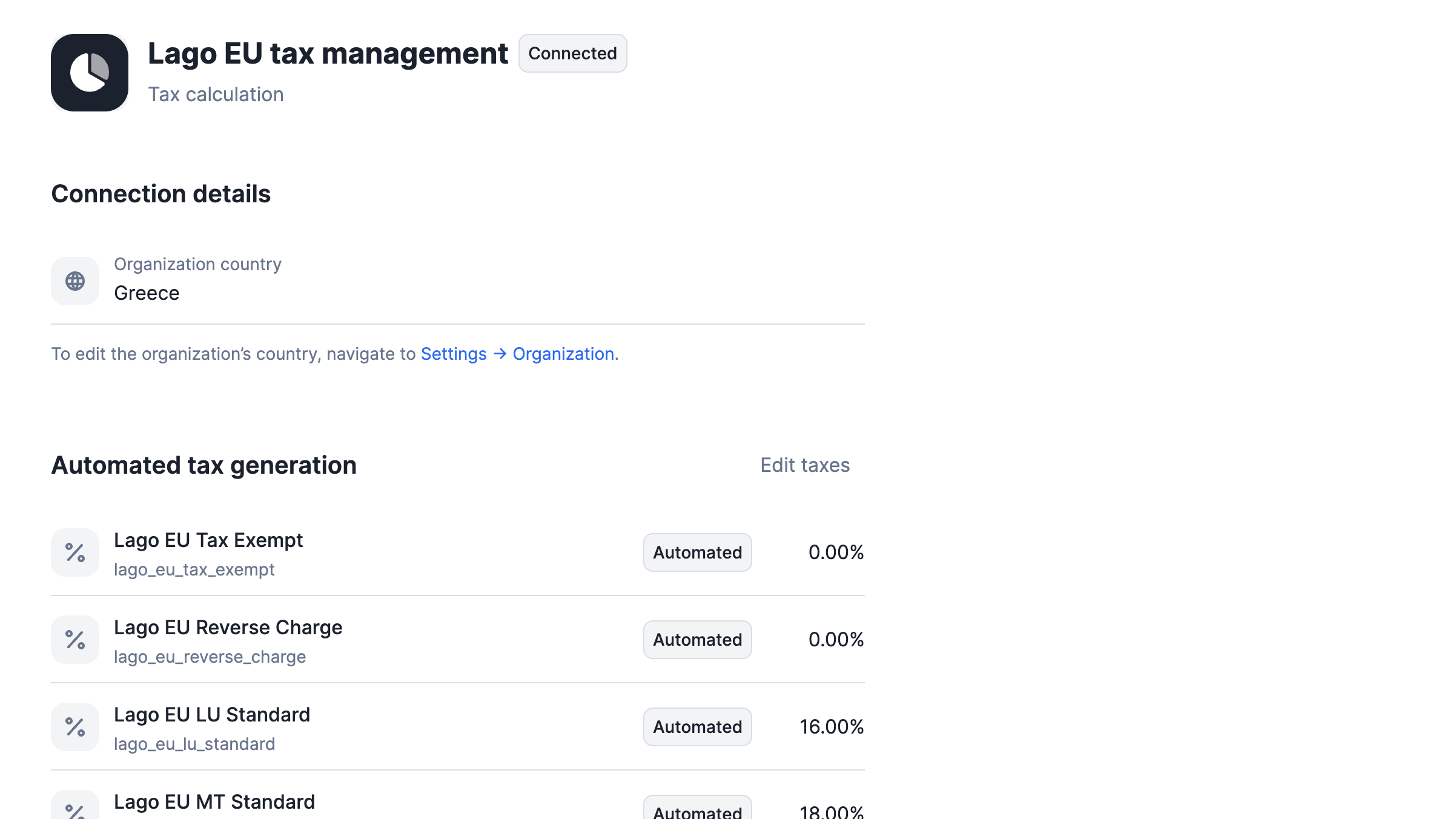
When you connect the Lago EU Tax Management integration, it automatically generates a list of standard European tax rates. These rates, labeled asautomated in Lago, are synchronized with the latest standard tax rates for European countries,
ensuring your tax calculations are always up-to-date and compliant.
Each tax rate begins with the lago_ prefix, ensuring a uniform and easily identifiable format across your tax rate list.
This systematic approach simplifies the management and recognition of these automated tax entries within your system.
Automated tax rates
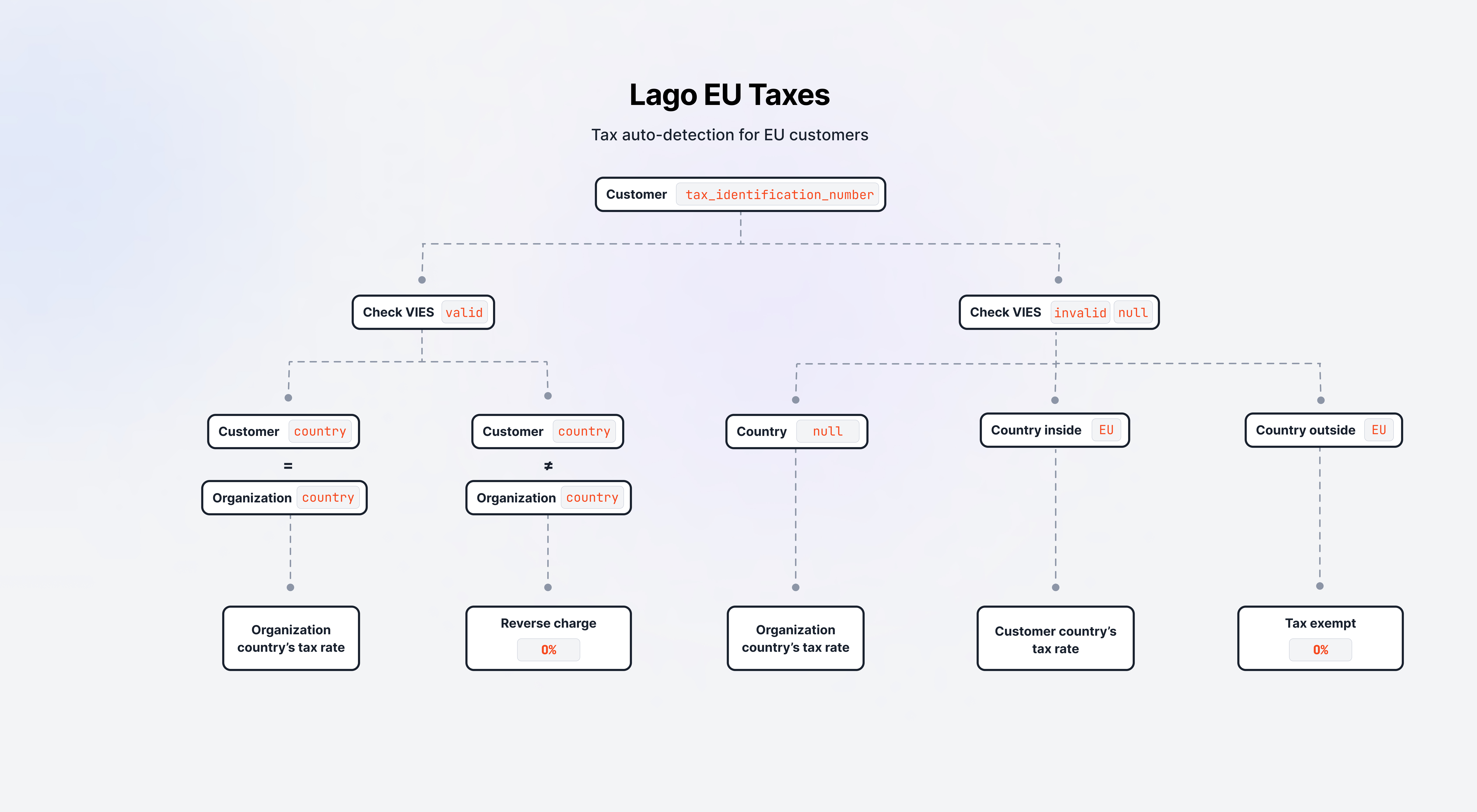
Auto-application of taxes: decision tree
Automated tax rates
tax_identification_number.
This check occurs whenever a customer’s profile is created or updated, ensuring that the most current tax-related information
is used in subsequent processes.
B2B tax decision process
When atax_identification_number is identified on a customer profile, Lago conducts a real-time verification
using the EU’s VAT Information Exchange System (VIES) to
confirm the existence of the company.
In case the VIES check matches a valid company:
- If the customer’s company is registered in the same country as your organization, Lago applies your organization country’s tax rate; or
- If the customer’s company is registered in a different country than your organization, Lago implements a reverse charge mechanism, applying a 0% tax rate.
B2C tax decision process
If the VIES check does not confirm an active company or if notax_identification_number is provided,
Lago then assesses the country associated with your customer. Based on this:
- If your customer’s
countryis unspecified, Lago defaults to applying your organization’s country tax rate; or - If your customer’s
countryis within the European Union, Lago applies the tax rate corresponding your customer’s EU country; or - If your customer’s
countryis outside the European Union, Lago applies a tax exempt rate at 0%.
Guidelines for VIES checks by Lago
Lago performs VIES verifications under these circumstances:- The Lago EU Tax Management integration is activated;
- A customer profile is either created or updated. Changes in customer details could influence their applicable tax rates:
- When a new tax rate is identified for a customer, Lago automatically updates the customer’s profile by replacing the old tax rate with the new one.