

Create taxes
Follow those steps to add a new tax:- Dashboard
- API
- Access the tax settings page through the Settings section > Taxes tab;
- In the upper right corner of the list, click “Add” to create a new tax;
- Enter its
name; - Assign it a unique
code(i.e. unique ID as defined in your backend system); - Add a
description(optional); and - Define the
ratethat applies.
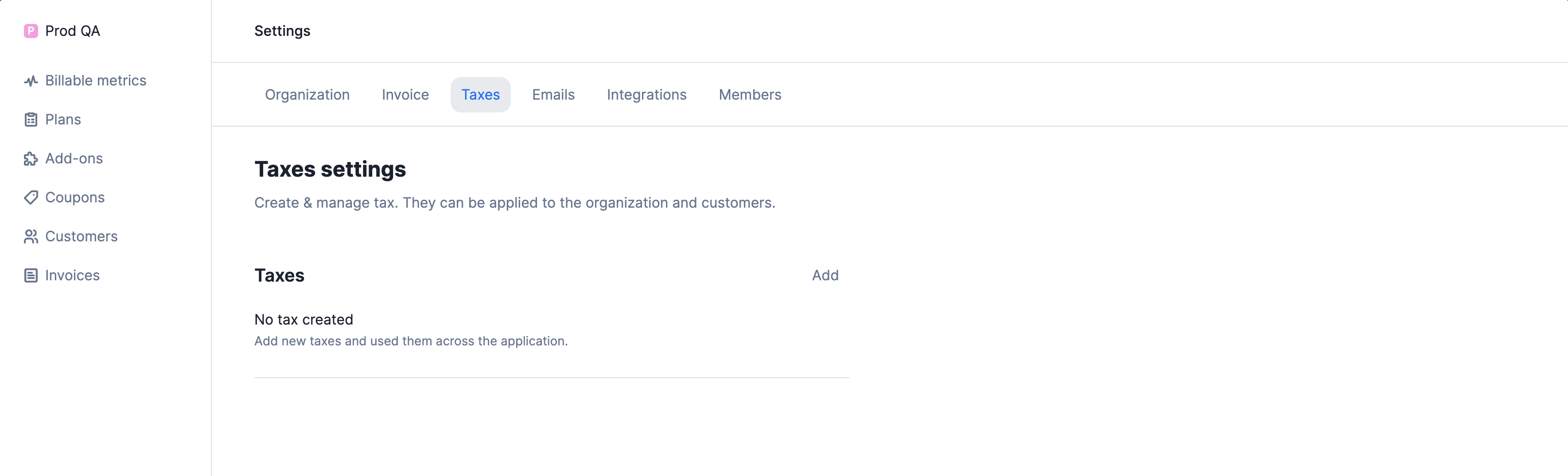
Create a tax in the settings
Editing and deleting taxes
A tax can be deleted or edited even if it is linked to an organization or a customer. However, it’s important to note that any change made to a tax object, including its removal, has an impact on all existing draft invoices or upcoming invoices associated with this tax. Available actions include:- Edit: allows you to modify the name, code and rate of the tax object; and
- Delete: allows you to delete the tax object and remove it from the list (this action cannot be undone).
Apply taxes to objects
When generating invoices, you may need to apply taxes. The tax rate applies to all fees (i.e. subscription fees and charges) and appears on the invoices.Taxes at the organization level
To apply tax objects to the organization:- Dashboard
- API
- Access the invoice settings page through the Settings section > Invoice tab;
- In the Taxes on organization section, click “Add” to add a new tax;
- Select the tax object you want to apply; and
- Repeat the action if you want to add another tax.
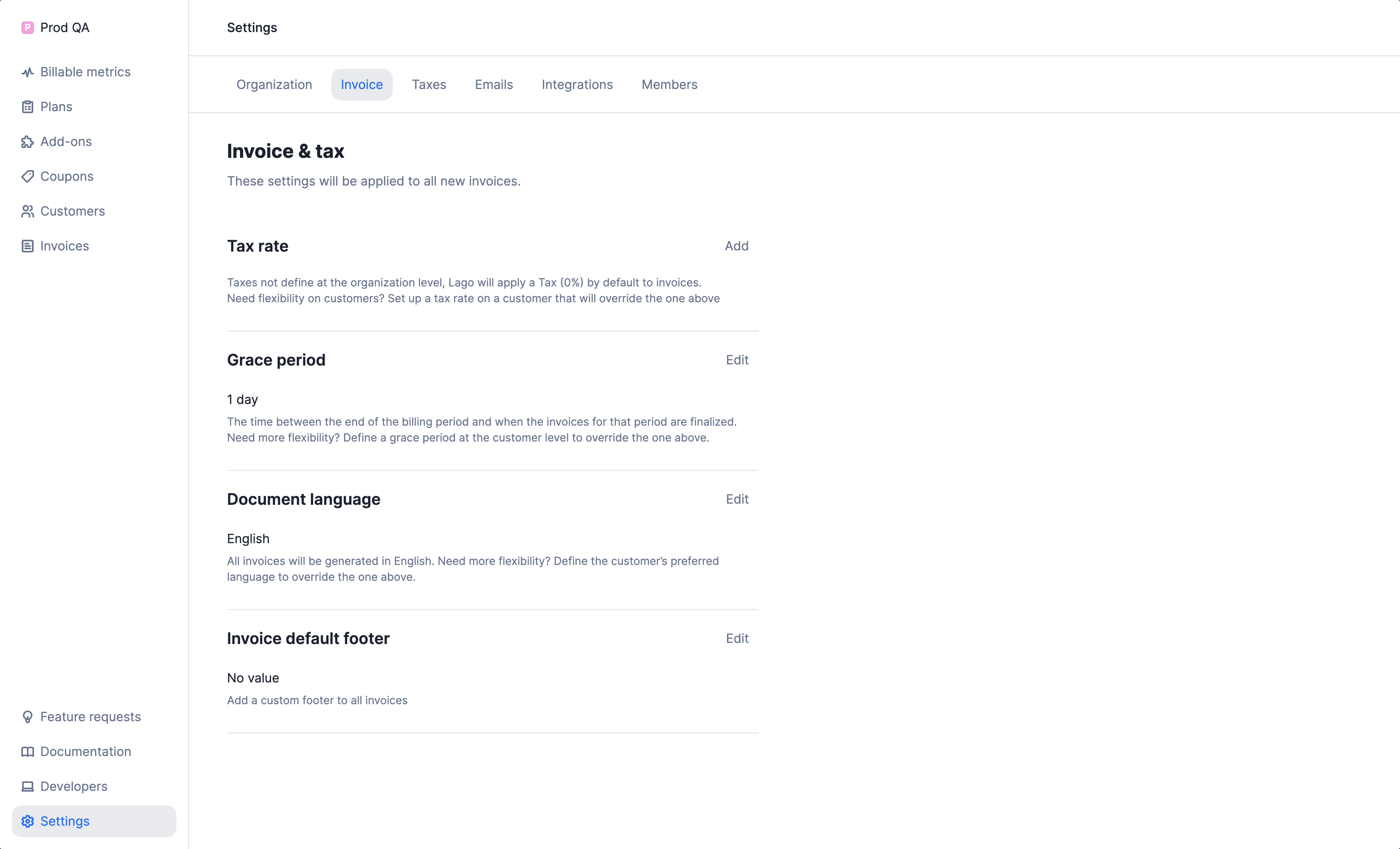
Add a tax on the organization
Taxes at the customer level
To apply tax objects to a specific customer:- Dashboard
- API
- Access the customer settings page through the Customer details page > Settings tab;
- In the Tax rates section, click “Add a tax” to add a new tax;
- Select the tax object you want to apply; and
- Repeat the action if you want to add another tax.
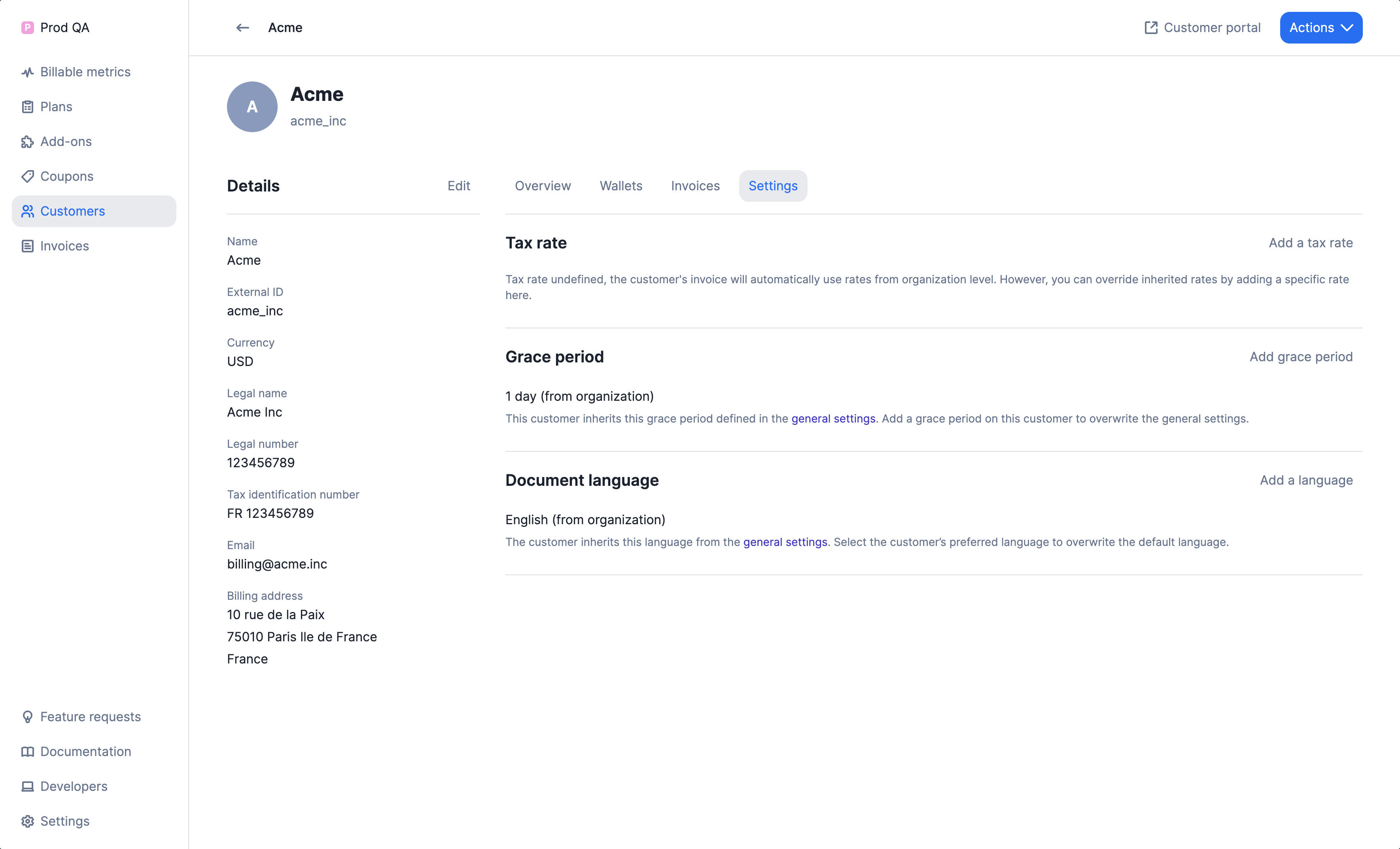
Add a tax on the customer
Taxes at the plan and charges level
Follow these steps to apply tax objects to a plan:- Dashboard
- API
- Ensure that you have already created the necessary taxes on your account.
- Navigate to the Plan section and click on Add a plan.
- In the Plan settings section, click on Add a tax rate.
- If you have usage-based charges, expand the More options section for the charge and click on Add a tax rate to define taxes specific to that charge.
- Note: If taxes are defined on charges, they will override the tax rate defined at the plan level.
- Complete the process of creating your plan and apply it to customers to generate an invoice.
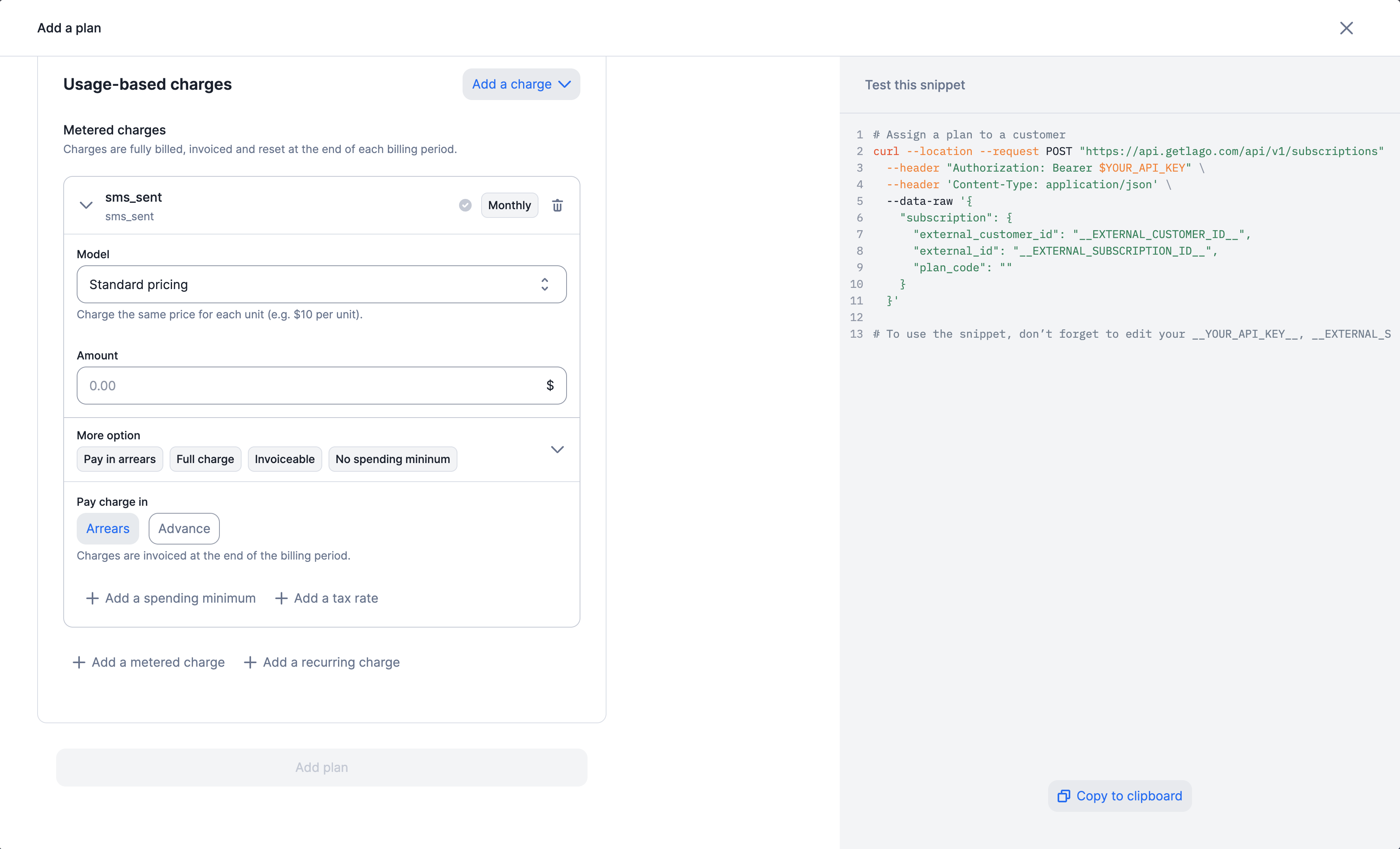
Add a tax on the charge
Taxes at the add-on level
Follow these steps to apply tax objects to a add-on:- Dashboard
- API
- Make sure you have already set up the required taxes within your account.
- Navigate to the “Add-ons” section and click on “Add an add-on.”
- Within the “Add-on settings” area, click on “Add a tax rate.”
- Finish creating your add-on and apply it to customers using a one-off invoice to generate the invoice.
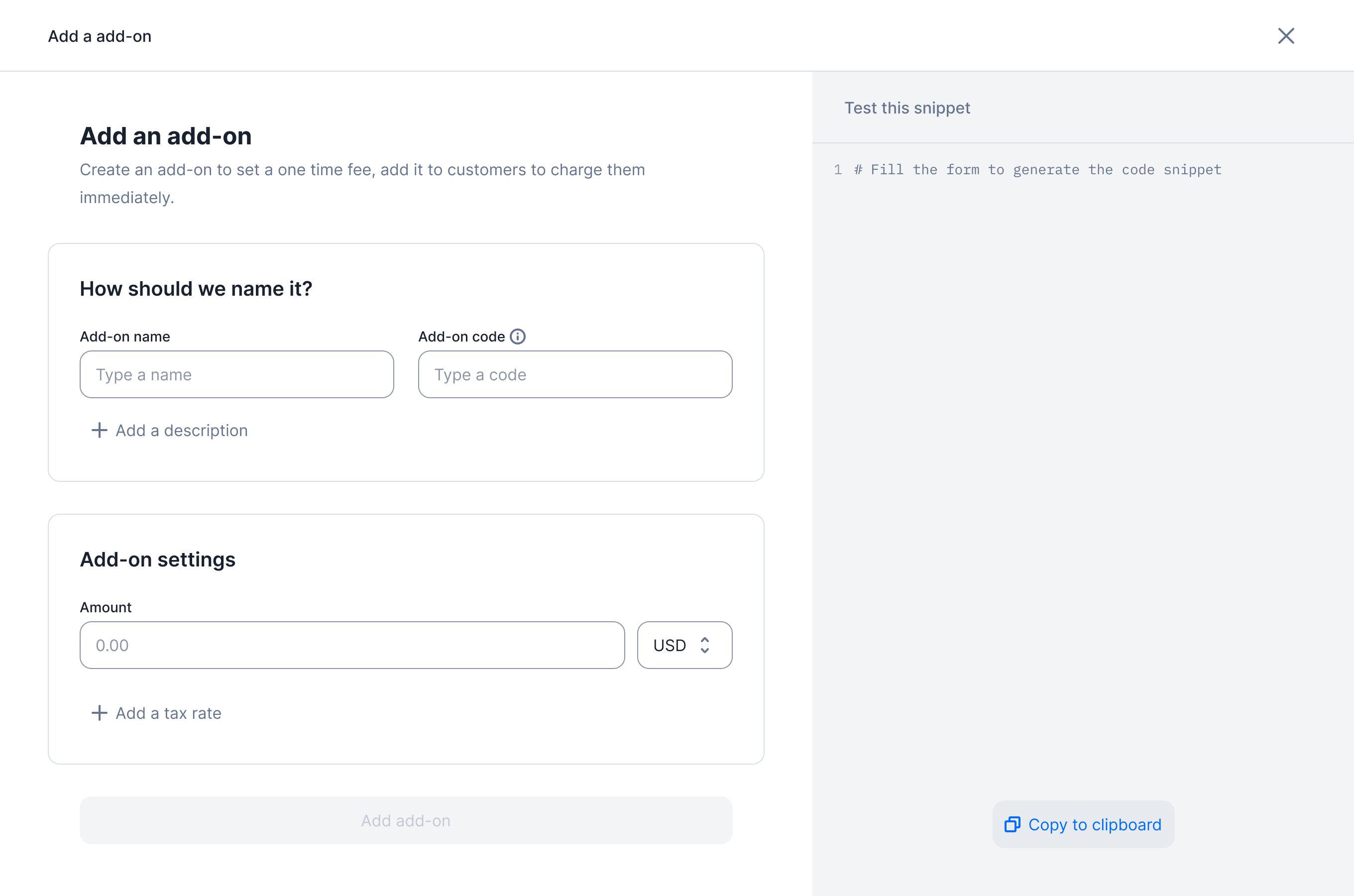
Add a tax on the add-on
Tax hierarchy
Invoice linked to a subscription
When an invoice linked to a subscription is generated, the taxation process follows a hierarchy that determines how taxes are applied to different fees:- Taxes defined at the organization level will impact all invoice fees (subscription & charges).
- Taxes defined at the customer level will override the organization-level taxes and impact all invoice fees (subscription & charges).
- Taxes defined at the plan level will override the customer-level taxes and impact all invoice fees (subscription & charges).
- Taxes defined at the charge level will override the plan-level taxes but will impact only the fee associated with that particular charge.
Invoice linked to a one-off-invoice
When an invoice linked to a one-off is generated, the taxation process follows a hierarchy that determines how taxes are applied to different fees:- Taxes defined at the organization level will impact all invoice fees
- Taxes defined at the customer level will override the organization-level taxes and impact all invoice fees
- Taxes defined at the add-on level will override the customer-level taxes and impact only the fee associated with that particular add-on
- While creating a one-off invoice, taxes defined at the fees level will override add-on-level taxes but will solely impact the fee associated with that particular add-on.